
What Shades do
Shades are magical copies that keep the action your mouse was performing when you created them. They are not independent AI companions. A solo player can create up to three, giving you four characters in total, including your mouse.
That lets you handle some tasks that would otherwise need several players.
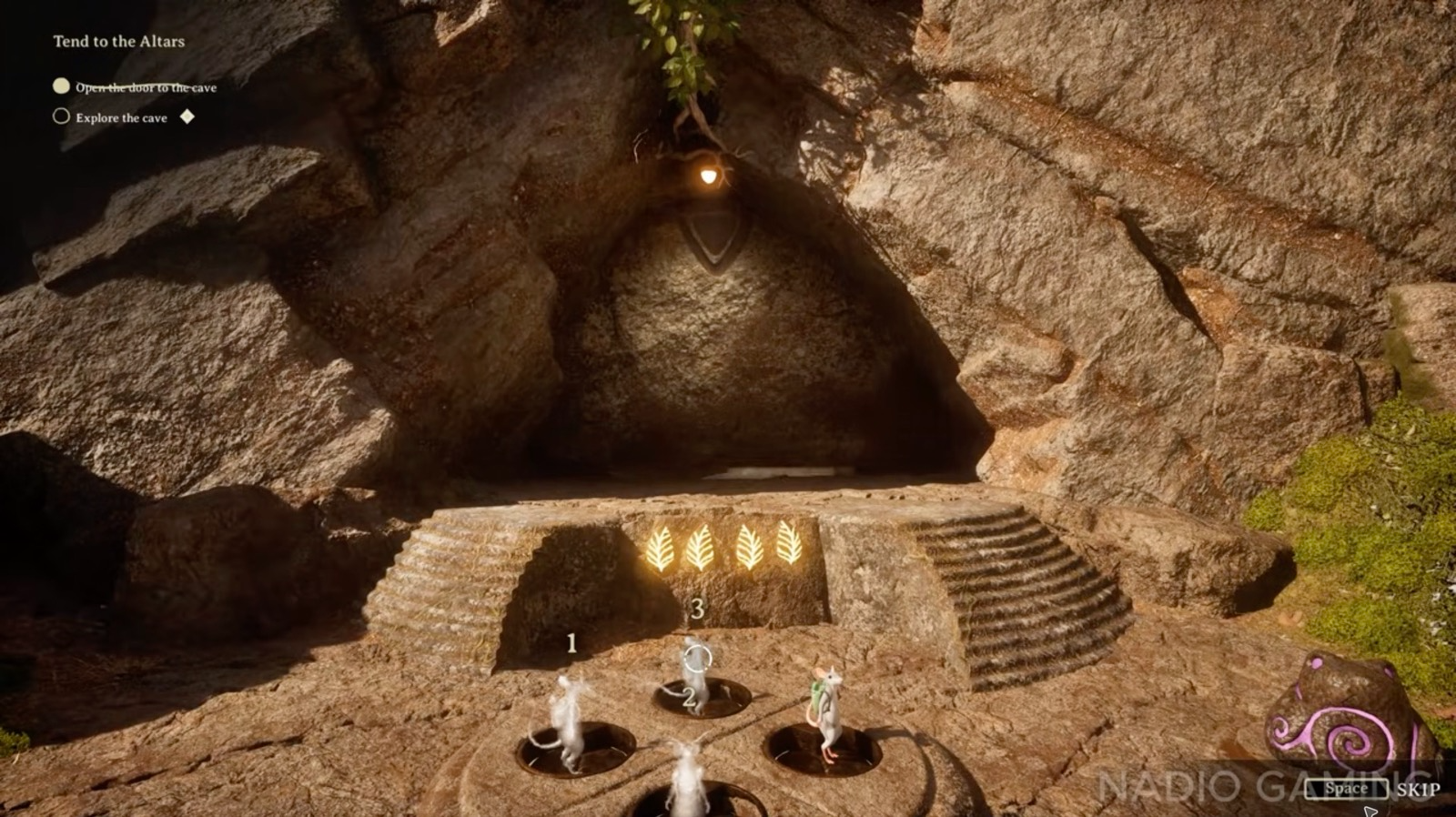
Open the four-plate cave door alone
At the cave entrance, the door faces four round pressure plates.
- Stand on one of the plates and create a Shade there.
- Move to a second plate and leave another Shade.
- Leave your third Shade on a third plate.
- Stand your own mouse on the last plate.
- With all four plates occupied, the four leaf symbols glow and the stone door rises. Walk through to explore the cave.
Creating and removing Shades
In the PC Demo’s keyboard tutorial, hold Q to create a Shade and hold Z to remove Shades.
On the default controller layout, hold D-pad Left to create, hold D-pad Right to remove, and tap Left or Right to switch between them. Holding and tapping have different functions, so use the shorter press when you want to switch rather than create or remove.
For the rest of the buttons, use the controller reference.